

ECU/ECM cloning is the process of copying all internal data from a faulty engine control module into a compatible donor unit. This allows the replacement ECU to behave exactly like the original—same VIN, same immobilizer data, same coding, and same performance settings.
Cloning is one of the most effective ways to replace a damaged ECU without needing dealer programming.
Tools and Equipment Needed
- Original ECU (faulty or partially working)
- Donor ECU (matching part number)
- Bench power supply (12–14V)
- ECU bench harness & pinout diagram
- EEPROM/Flash reading tool
- (KESS3, KTAG, MPPS, PCMFlash, Autotuner, FC200, etc.)
- Soldering iron or hot-air rework (for chip removal if needed)
- Multimeter
- Diagnostic scanner
- Computer/laptop with ECU editing software
- Anti-static (ESD) safe workstation
- Safety gloves and glasses
Safety Precautions
- Always disconnect the vehicle battery before removing the ECU.
- Work on a clean ESD-safe surface.
- Avoid short circuits — ECUs are extremely sensitive to voltage spikes.
- Do NOT apply power to an ECU unless you have the correct pinout.
- Ensure donor ECU is fully compatible (same HW/SW version or equivalent).
1. Remove the ECU from the Vehicle
- Locate the ECU (engine bay, cowl area, or under the dashboard).
- Remove the connectors carefully—never pry the pins.
- Unbolt and remove the ECU from the vehicle.
- Label OLD (original) and NEW (donor) units to avoid confusion.
2. Identify the ECU Type
Different ECUs have different methods:
- Infineon TriCore (Bosch EDC17, MED17) → requires bench mode or boot mode
- Motorola MPC5xx / MPC55xx → BDM or bench mode
- Renesas / SH705 → OBD or bench
- Delphi MT20/MT80 → bench or chip removal
- Siemens / Continental → bench mode
Knowing the ECU family determines the read/write method.
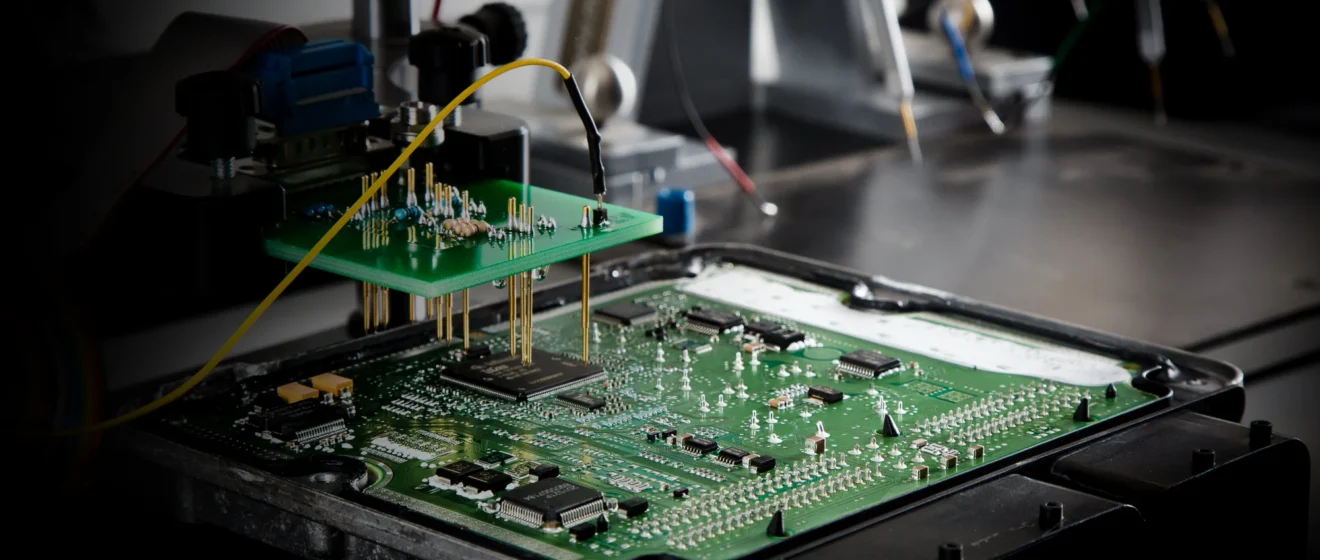
3. Connect the ECU to a Bench Setup
Use:
- Bench harness
- Power supply
- CAN High/Low or K-line (if required)
Typical power:
- Pin 12V+
- Pin Ground
- Ignition ON (12V) if required by your tool
Make sure all connections match the pinout diagram exactly.
4. Read the Original ECU Data
Using your tool (KESS3, KTAG, PCMFlash, Autotuner, etc.):
You must read:
- EEPROM → contains
- Immobilizer (IMMO)
- VIN
- Security data (ISN)
- Odometer (in some ECUs)
- Flash / Micro → contains
- Operating software
- Maps
- Tuning
- Adaptations
- DPF/EGR delete settings (if present)
Save all files clearly labeled:
Original_ECU_EEPROM.bin
Original_ECU_Flash.bin
Original_ECU_Micro.bin
5. Read the Donor ECU (Optional)
Some ECUs require checking the donor before writing.
This confirms:
- Donor ECU is healthy
- Partition size matches
- Security blocks are writable
If donor has locked sectors, you may need to unlock using BOOT mode.
6. Write the Original ECU Data into the Donor ECU
Write the following to the donor ECU:
✔ Original EEPROM
✔ Original Flash
✔ Original Micro (if separate)
This transfers:
- VIN
- Immobilizer (IMMO)
- ISN
- Coding
- Tuning
- Software version
- Adaptation data
- DPF/EGR delete modifications
Important:
Some ECUs require checksum correction. Most modern tools handle this automatically.
7. Verify the Clone on the Bench
Before installing:
- Power the cloned ECU on the bench
- Check for successful communication
- Verify IMMO block
- Confirm VIN appears correctly
- Confirm coding is intact
This prevents issues once installed in the vehicle.
8. Install the Cloned ECU Back Into the Vehicle
- Reconnect the ECU connectors firmly
- Reinstall mounting bolts
- Reconnect the battery
- Turn ignition ON and check communication
- Start the engine
If cloning was performed correctly, the vehicle should start immediately without any relearning or key programming.
9. Perform Final Checks
Use a scanner to confirm:
- No immobilizer errors
- No communication faults
- Correct sensor readings
- No checksum or coding issues
Test drive the vehicle to verify:
- Smooth idle
- Normal throttle response
- Proper shifting (automatic vehicles)
- No limp mode
- No misfires
Why Cloning is the Best Solution
Saves thousands compared to new ECUs
No dealer programming required
Preserves all factory settings
Car runs exactly like before
Works for both gas and diesel ECUs
Additional Resources
Contact FixECM
📞 647-247-8555
📧 info@fixecm.com
🌐 https://www.fixecm.com